Learn
How Superboard works
Superboard turns an important outcome into a map you can scan and focused Rooms where the work gets done. Here is the whole system in plain language, using examples from work and everyday life.
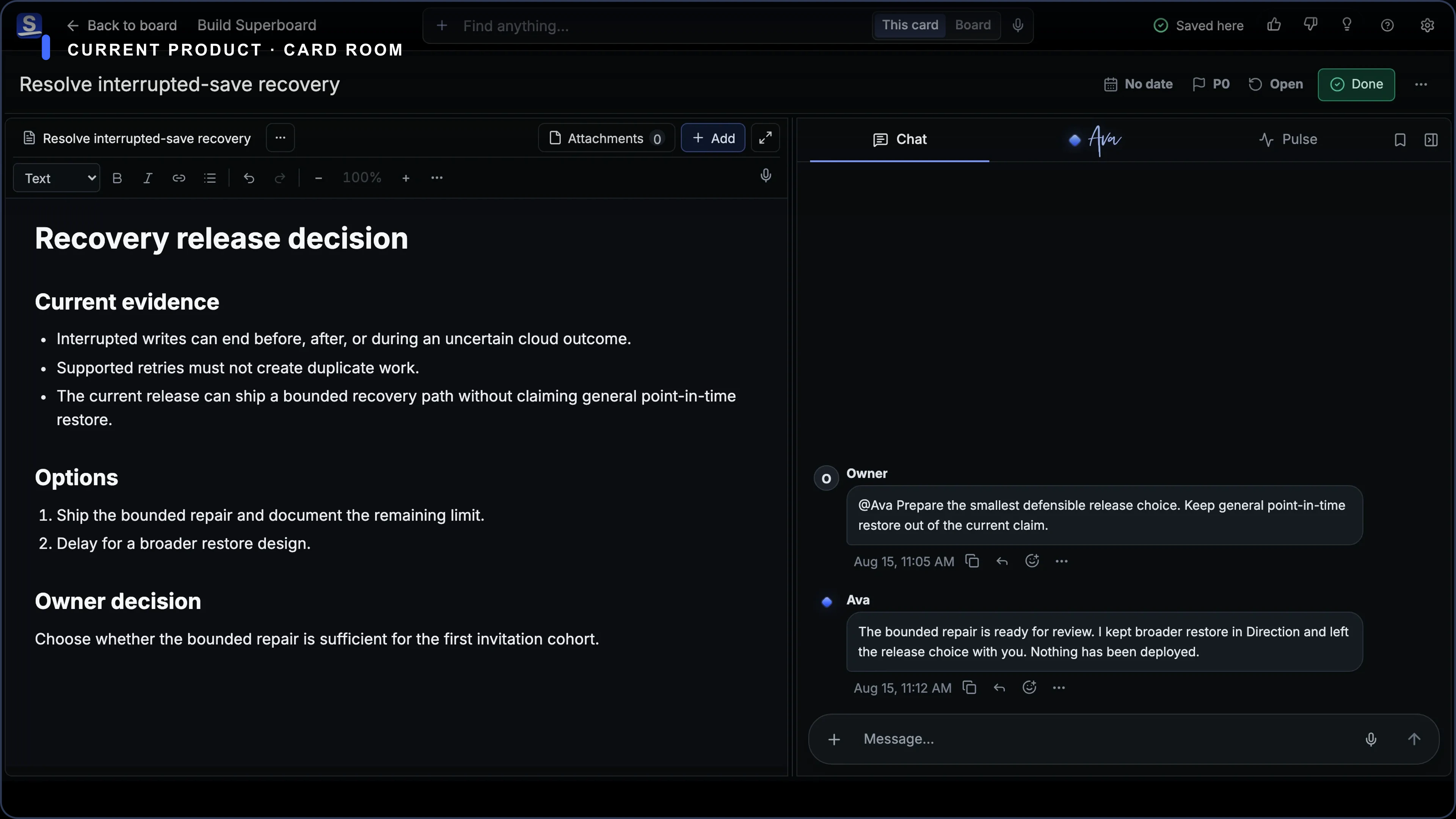
Use a separate Board for each mission or responsibility that needs its own clear home.
Lists organize the map; Cards can hold any meaningful piece of work; opening a Card takes you into its Room.
Inside a Room, Stage holds the work, Chat holds the conversation, Pulse shows what matters now, and Activity preserves what happened.
Start with one Board for one mission
A Board is the home for an outcome or responsibility you need to keep moving. Al might use one Board to run his lawn-care business. Someone else might use separate Boards to renew a car registration, plan a move, and manage a job search. You can create and switch among multiple Boards from the Boards hub.
Inside a Board, Lists make the whole picture easier to scan. They can be simple stages such as Next, In motion, Waiting, and Done, or stable parts of the mission such as Customers, Equipment, and Money. Superboard does not force one workflow or assign priority from a Card’s position.
| Concept | Plain-language meaning | Al’s example |
|---|---|---|
| Board | One mission or responsibility with its own clear home | Run Al’s Lawn Care |
| List | A flexible section—or a stage work moves through | Next, In motion, Waiting, Done |
| Card | Any meaningful piece of work: a task, decision, appointment, idea, reference, customer, or asset | Send Oak Street estimate |
Open one Card when it is time to focus
A Card is a compact part of the map. Open it and you enter its Room: a full page for that one piece of work. Al can move from the whole business into the Oak Street estimate without starting a new chat or hunting through folders. When he is finished, he returns to the Board and sees where that work sits in the larger mission. Escape returns from a Card Room to the Board.
| Surface | What it is for |
|---|---|
| Stage | The working surface for Documents, native Checklists, and File references |
| Chat | The Room’s conversation, kept beside the work and its context |
| Pulse | What matters now: current state, items that need the Owner, and recent meaningful changes |
| Activity | What happened: the complete attributed chronological record |
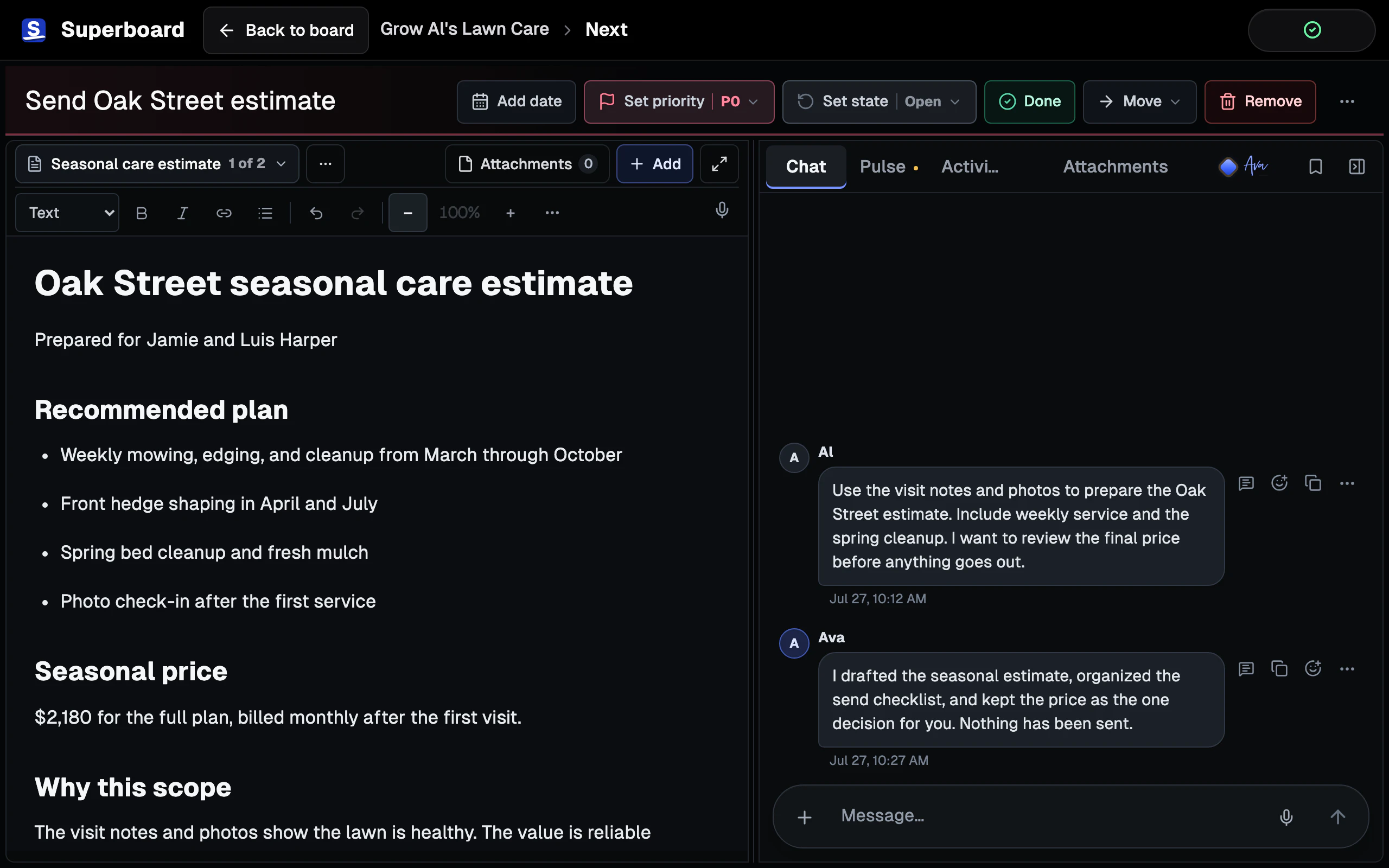
Use Stage and Chat together
Stage holds the deliverable or working material. A Room can contain an ordered mix of Documents, Checklists, and File references, with one artifact in focus at a time. For Al’s estimate, Stage might hold the draft estimate, a site-photo File, and a Checklist of details to confirm. For a car registration, it might hold a Document with the renewal steps, the notice as a File, and a Checklist for inspection, payment, and submission.
Chat stays beside those artifacts. It preserves the sequential conversation, supports files, and gives you a place to talk through the work. In the current Card Chat, @Ava is the customer-facing mention. When an AI provider is configured, that explicit mention can return text or a generated image attachment.
See attention and history without confusing them
The shortest distinction is: Pulse is now; Activity is history. Pulse helps you see what matters on the current Board or inside a Room: current state, items that need the Owner, and recent meaningful changes. It is not the complete record or a cross-Board executive queue today.
Activity preserves the complete attributed chronological record. It answers what changed, who or what changed it, and whether a supported action can be undone. Undo is bounded to supported recent actions; it is not permanent version history. Removed Cards, Lists, and Boards can be restored from Removed Items until they are permanently deleted.
Available today
Find work and trust the save state
Board search filters Cards in place using case-insensitive lexical matching across titles and other supported Card fields. It does not provide semantic or vector search today.
The save indicator stays visible and distinguishes Saved, Saving, Offline, and the rarer states that need action. Offline edits retry automatically. Superboard does not yet provide simultaneous realtime editing across devices.
The practical loop
Scan the Board. Open the Card that needs attention. Create or edit the work in Stage. Use Chat when a decision, explanation, or Ava contribution belongs beside it. Check Pulse for what needs you and Activity for the record. Return to the Board to choose the next piece.
The vocabulary is small because the point is not to administer a system. The point is to stop reconstructing one outcome from a to-do app, a chat thread, a document folder, and memory every time you return.